Free WordPress Plugin  ·  v1.2.0

Your AI built the page.
Now paste it into WordPress.

Copy HTML/CSS/JS code from ChatGPT, Claude, Gemini — or any AI tool. Paste it into VisuCode. It auto-formats, optimizes, and separates your code, then lets anyone edit it visually. No coding needed.

FreeForever
GPL v2Open Source
5Languages
WP 5.8+Compatible
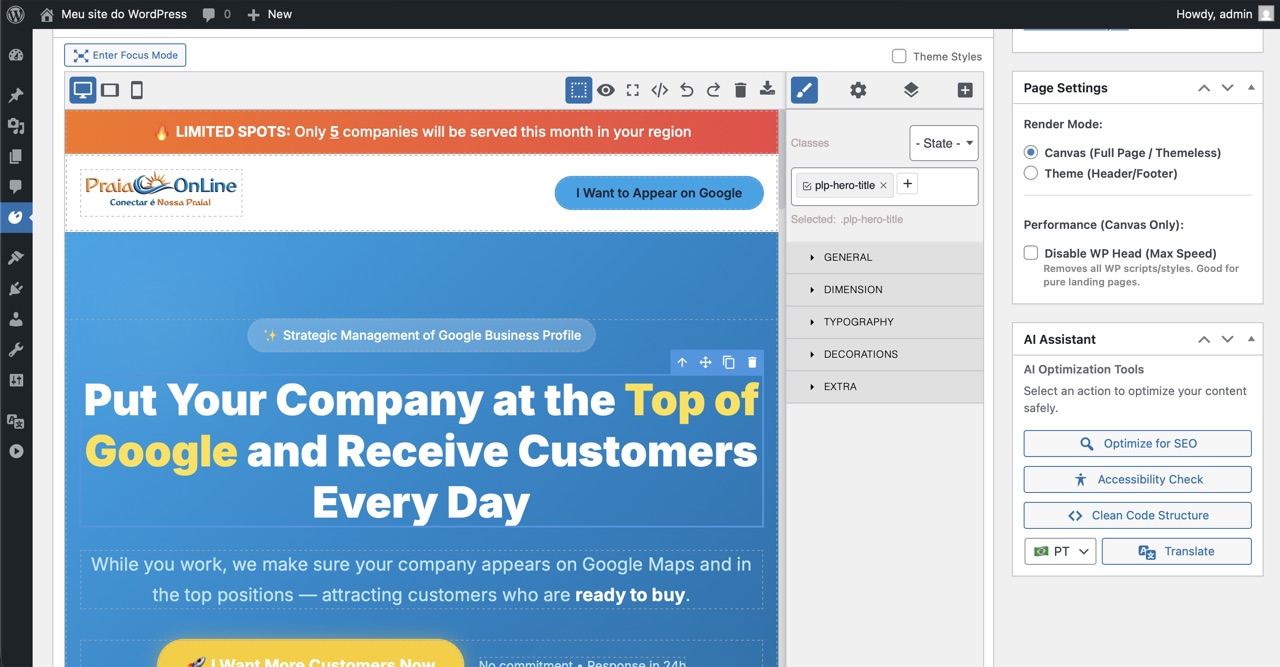
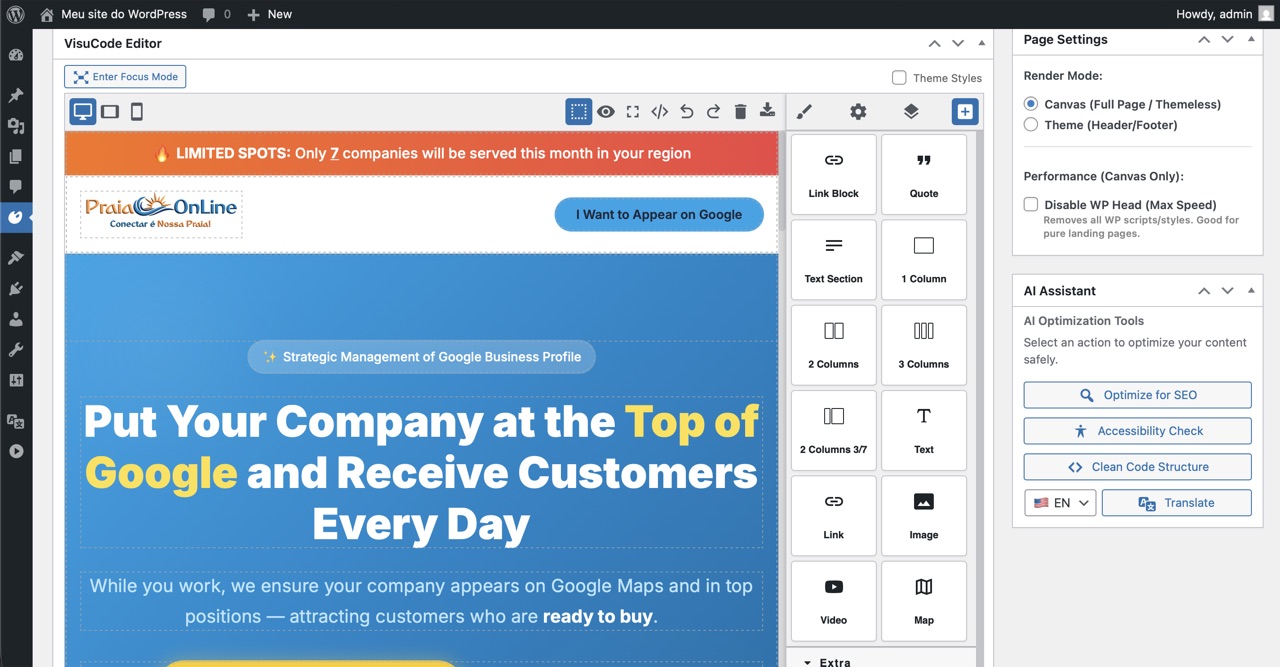
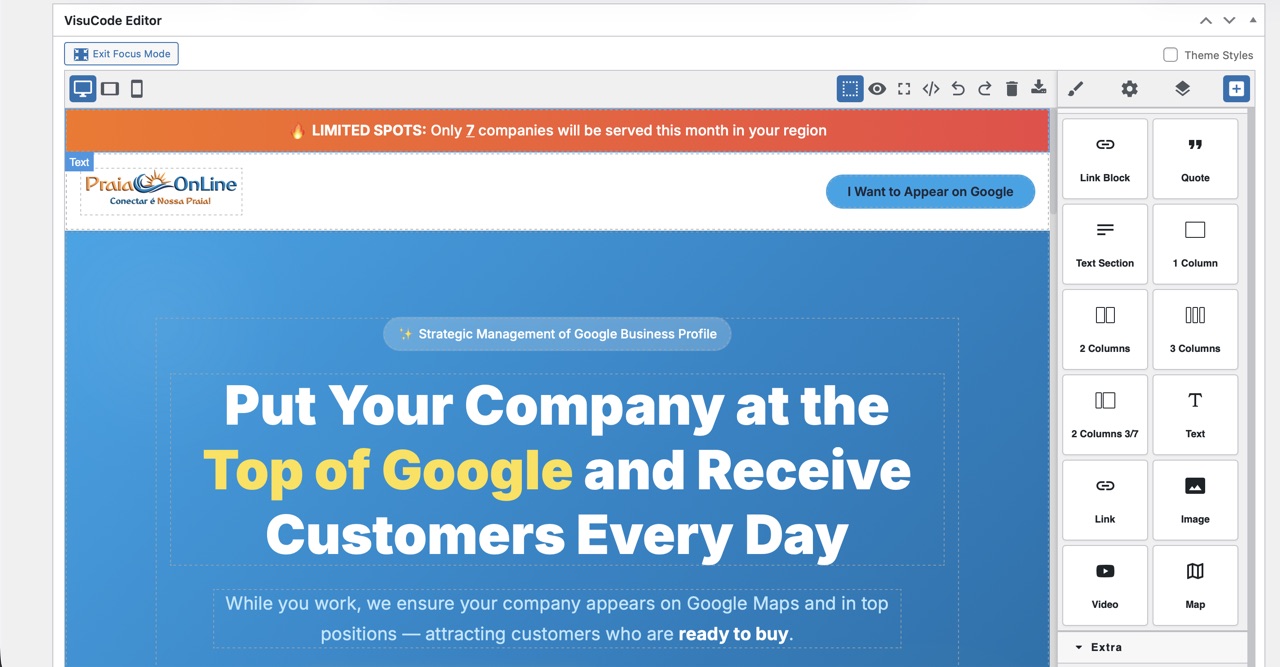
VisuCode AI Editor — AI-generated HTML page loaded and ready to edit visually
The Workflow

AI builds. You paste. VisuCode does the rest.

The bridge between AI-generated code and a polished, editable WordPress page — in seconds.

Generate with any AI

Use ChatGPT, Claude, Gemini or any AI tool to generate the HTML, CSS and JavaScript for your page or section.

Paste into VisuCode

Open VisuCode's Import panel. Paste your code. The editor automatically parses, separates and loads HTML, CSS and JS into their correct layers.

Optimize in one click

The AI Assistant runs expert-curated optimizations: SEO structure, accessibility fixes, clean code refactoring — without prompting AI again.

Edit visually, publish

Non-technical users can now click, drag and adjust any part of the page — text, images, colors, layout — with no HTML knowledge required.

ChatGPT / Claude / Gemini
Generates HTML · CSS · JS
VisuCode AI
Formats · Optimizes · Separates code layers
Editable WordPress Page
Anyone can edit · No coding · Published
What VisuCode Does

The complete bridge from AI code to live page

Everything you need to take AI-generated code and turn it into a real, editable, optimized WordPress page.

Paste Code from Any AI. Done.

VisuCode's Import panel accepts raw HTML, CSS and JavaScript — exactly as your AI tool outputs it. No reformatting, no preprocessing needed. Just paste and go.

  • Accepts HTML / CSS / JS — separately or mixed together
  • Automatically separates code layers (HTML structure, CSS styles, JS logic)
  • Renders the page on the visual canvas instantly
  • Images referenced in the code are auto-imported to WordPress Media Library
  • Works with output from ChatGPT, Claude, Gemini, Copilot, and any other AI
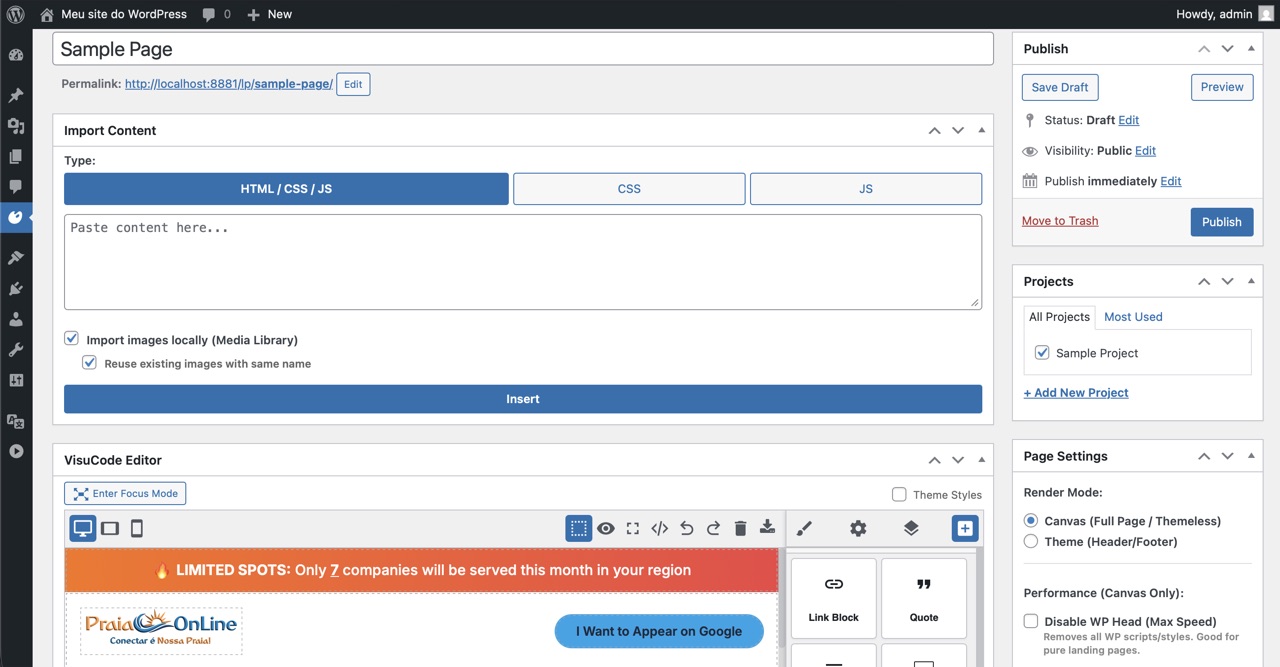
Import panel showing pasted AI-generated HTML/CSS/JS code being loaded

Visual Editing for Non-Technical Users

Once the AI code is loaded, no one needs to touch HTML again. Any team member can click, select and edit text, images, colors, fonts and layout directly on the canvas.

  • Drag-and-drop component repositioning
  • Point-and-click text editing inline
  • Visual CSS controls — no stylesheet knowledge needed
  • Undo/Redo history for safe experimentation
  • Mobile & tablet responsive preview

Expert-Curated AI Optimizations

The AI Assistant metabox runs pre-structured commands designed by specialists — not open-ended prompts. Each action is focused, predictable and tested. No prompt engineering required.

  • SEO Optimizer — Adds meta tags, fixes heading hierarchy, improves keyword structure
  • Accessibility Check — Alt texts, ARIA labels, contrast issues, form labels
  • Clean Code Structure — Removes redundancy, applies semantic HTML5
  • Translator — Full-page translation preserving layout & structure

Embed in Gutenberg with One Block

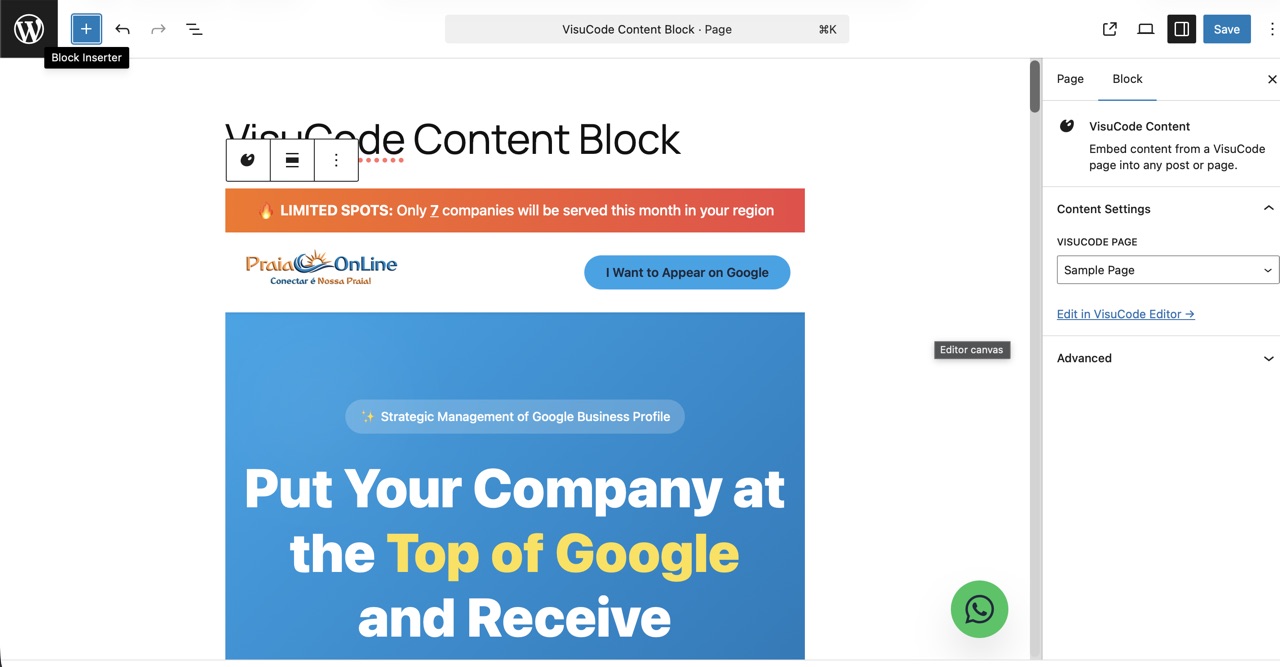
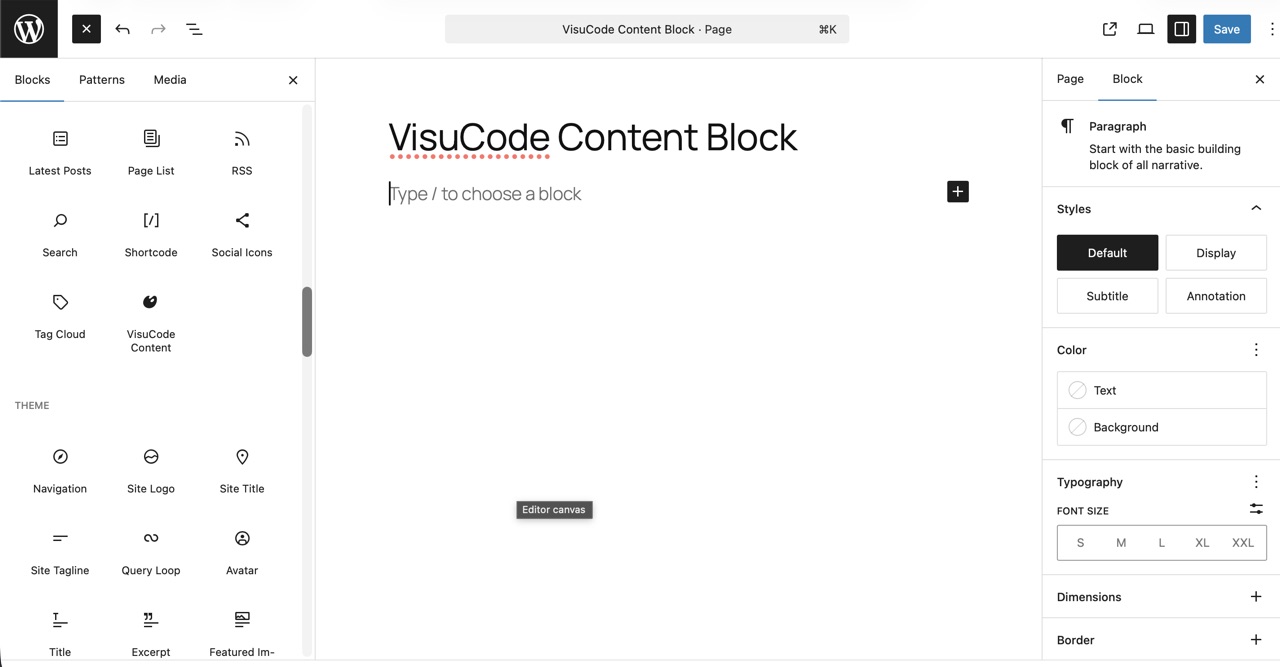
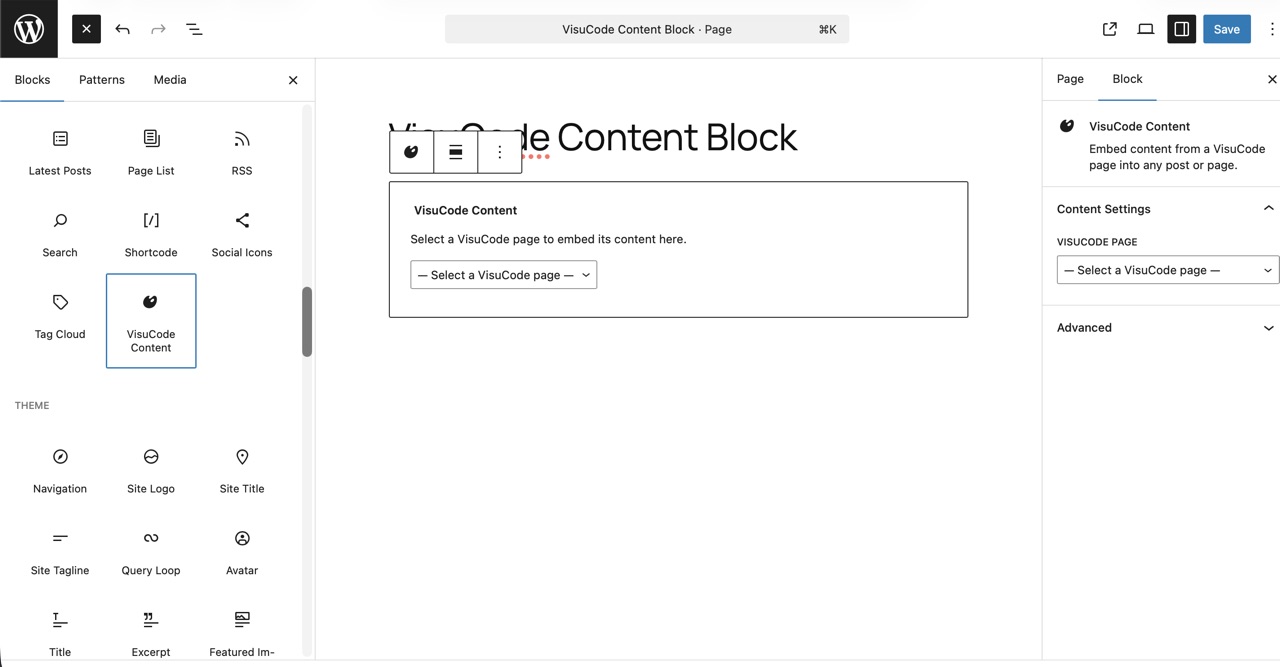
Use the VisuCode Content native Gutenberg block to embed any VisuCode page inline — inside any WordPress post, page, or template. Clean HTML output, zero dependencies.

  • Native block — appears in the Gutenberg block inserter
  • Select page from dropdown — renders HTML inline
  • Canvas mode (themeless) or Theme mode (with header/footer)
  • Works with any WordPress theme

Export as Clean ZIP

After editing, export the finished project as a portable ZIP archive with separate index.html, style.css, and assets. Your code is never locked in.

  • Export any page as a standalone HTML/CSS project
  • No proprietary shortcodes or builder lock-in
  • Use the HTML anywhere outside WordPress

Full Project ZIP Import

Upload a complete ZIP file generated by AI assistants (like ChatGPT, Claude, Cursor, Bolt). VisuCode parses multiple HTML/CSS/JS files and JSON data automatically.

  • Parses multiple responsive files instantly
  • Images/videos are sideloaded to WP Media Library
  • Creates a beautifully linked, editable project

Component Code Editor

Need to tweak the underlying code directly? Use the integrated Component Code Editor directly within the GrapesJS interface.

  • Edit component-level HTML & CSS directly
  • Live preview of code changes
  • Perfect for power users & developers

WordPress Shortcode Support

Render WP shortcodes dynamically inside your visual designs with a dedicated block and granular performance controls.

  • Dedicated Shortcode Block in the editor
  • Real-time preview inside GrapesJS
  • Granular performance controls for rendering

Native Homepage Support

VisuCode now fully supports WordPress homepage routing. You can seamlessly set any VisuCode page as your site's front page.

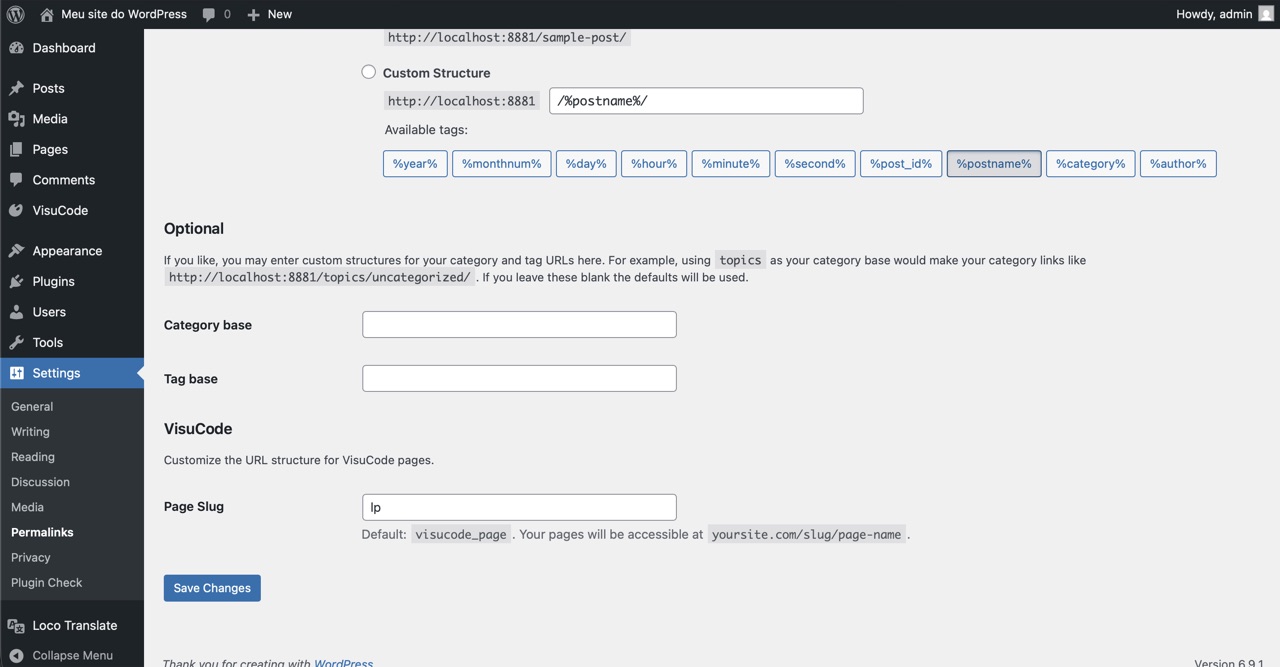
  • Set directly from WP Reading settings
  • Respects global permalink structures
  • Zero conflicts with existing WP features

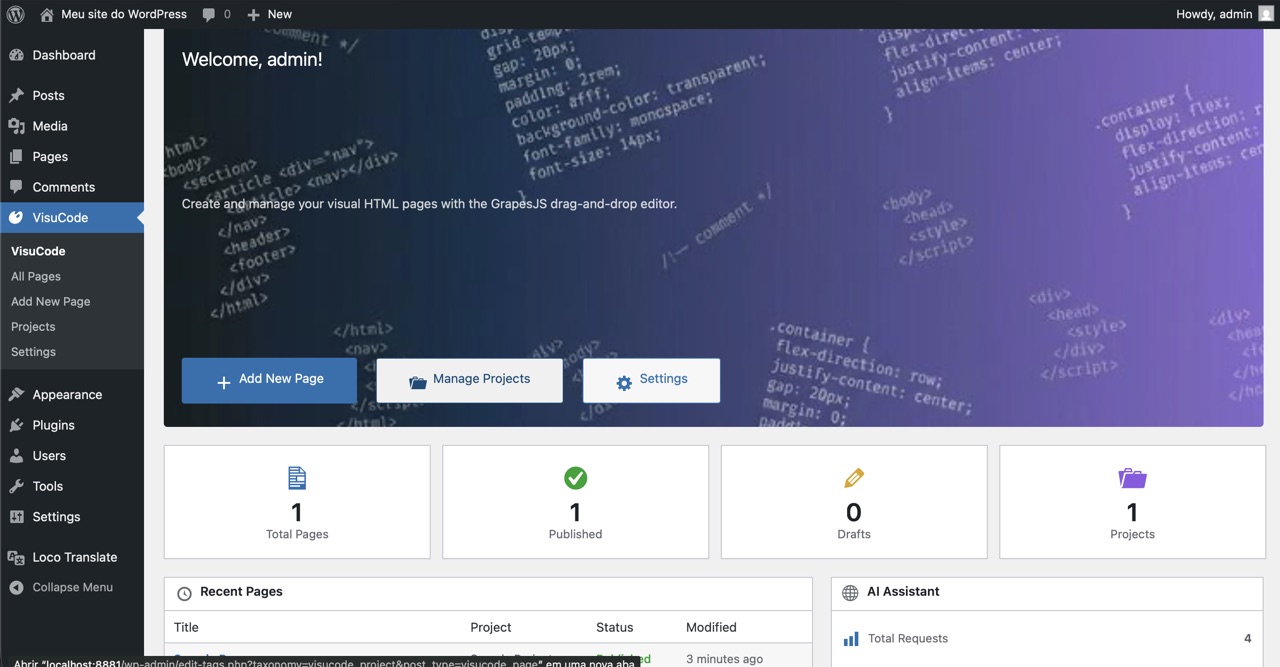
Project Organization

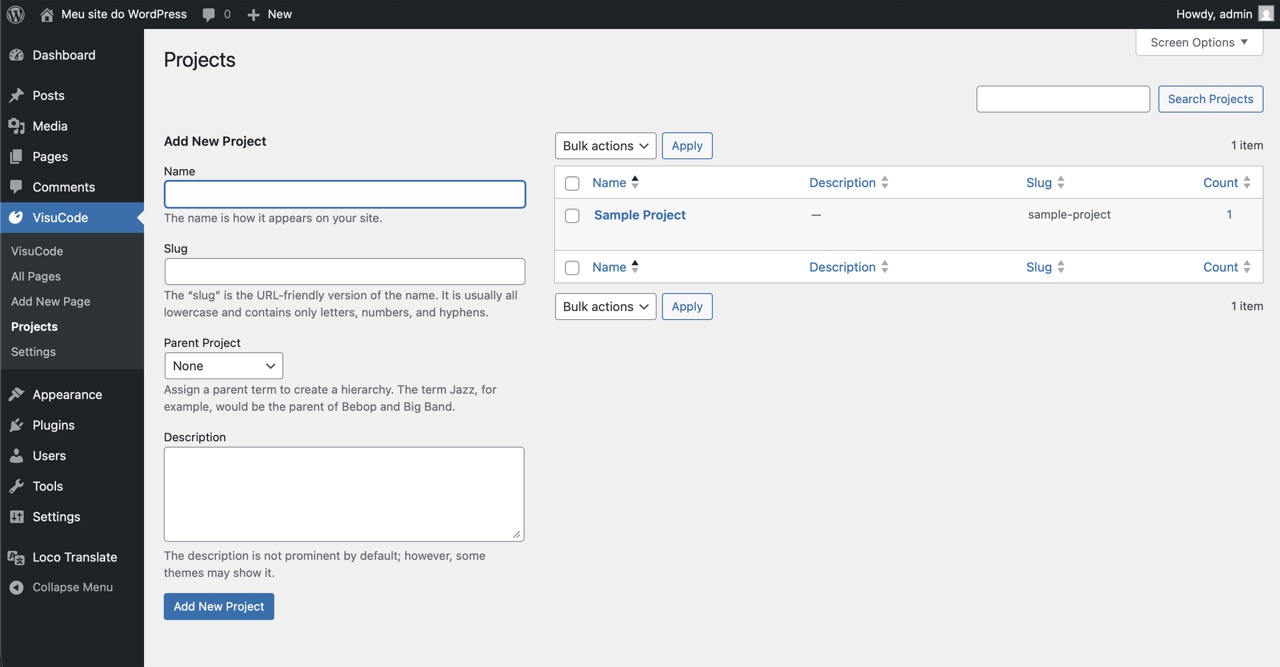
Group your pages into Projects — a WordPress taxonomy that acts like folders. Perfect for agencies managing pages for multiple clients or campaigns.

  • Custom taxonomy for project grouping
  • Filter pages by project in the dashboard
  • Hierarchical project support

Multi-Tenant & Agency Ready

Each WordPress user sees only their own pages. Built with SaaS architecture in mind — ideal for agencies or multi-client platforms where isolation is required.

  • Per-user page isolation
  • Role-based access via WordPress capabilities
  • Ready for SaaS or agency environments

Fully Internationalized

The entire plugin UI ships with official translations for 5 languages and is fully compatible with Loco Translate, WPML and any WordPress translation plugin.

  • 🇺🇸 English · 🇧🇷 Portuguese (BR) · 🇪🇸 Spanish
  • 🇫🇷 French · 🇩🇪 German
  • All strings wrapped with WordPress i18n functions

Not a page builder.
An AI code editor.

VisuCode AI doesn't generate content — it receives, processes and tames code that AI already generated for you. It's the missing piece between AI output and a real, editable WordPress page.

✓  Accepts any AI-generated code
✓  Auto-separates HTML / CSS / JS
✓  Visual editing for non-coders
✓  Expert-curated AI optimizations
✓  No lock-in — clean HTML export
✓  Free & open source
See It in Action

From AI code to editable page

Every screenshot shows real WordPress admin screens — no mockups.

VisuCode AI editor showing an AI-generated landing page loaded and ready to edit
AI-generated HTML loaded in the visual editor — ready to edit without touching code
Import panel — paste HTML/CSS/JS code from AI and load it instantly
Import Panel — Paste code from ChatGPT, Claude or Gemini and hit Load
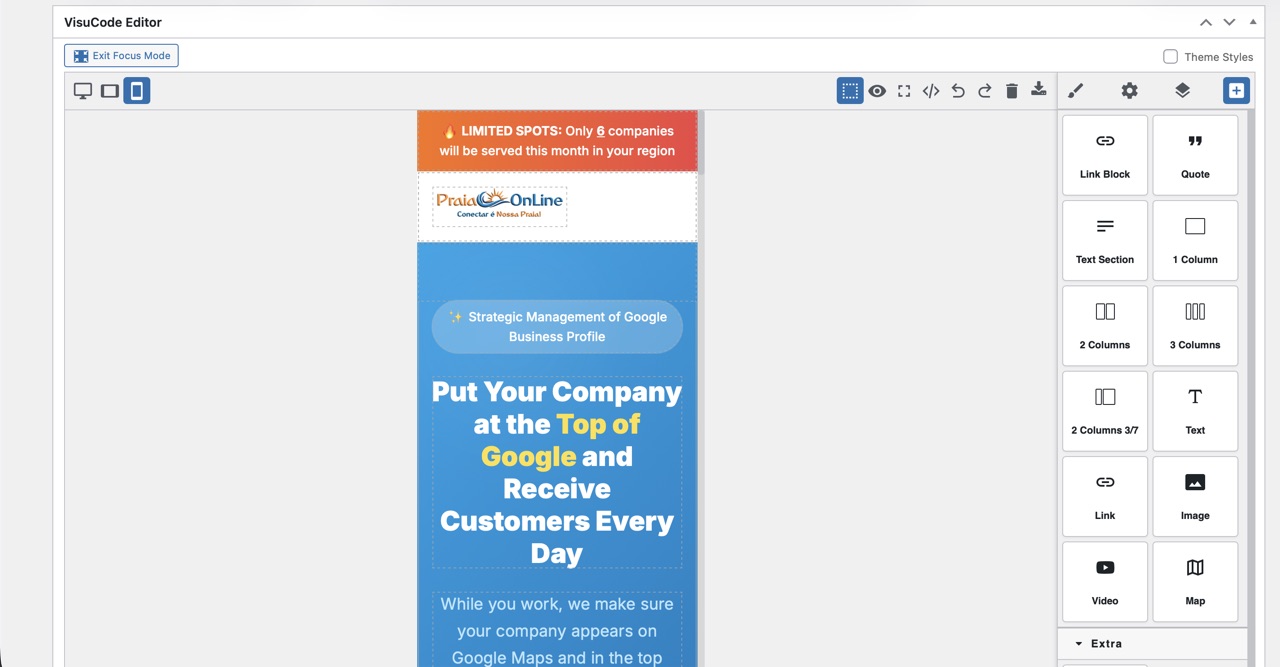
Responsive preview — editing on mobile breakpoint
Responsive Design — preview and adjust the page for mobile without code
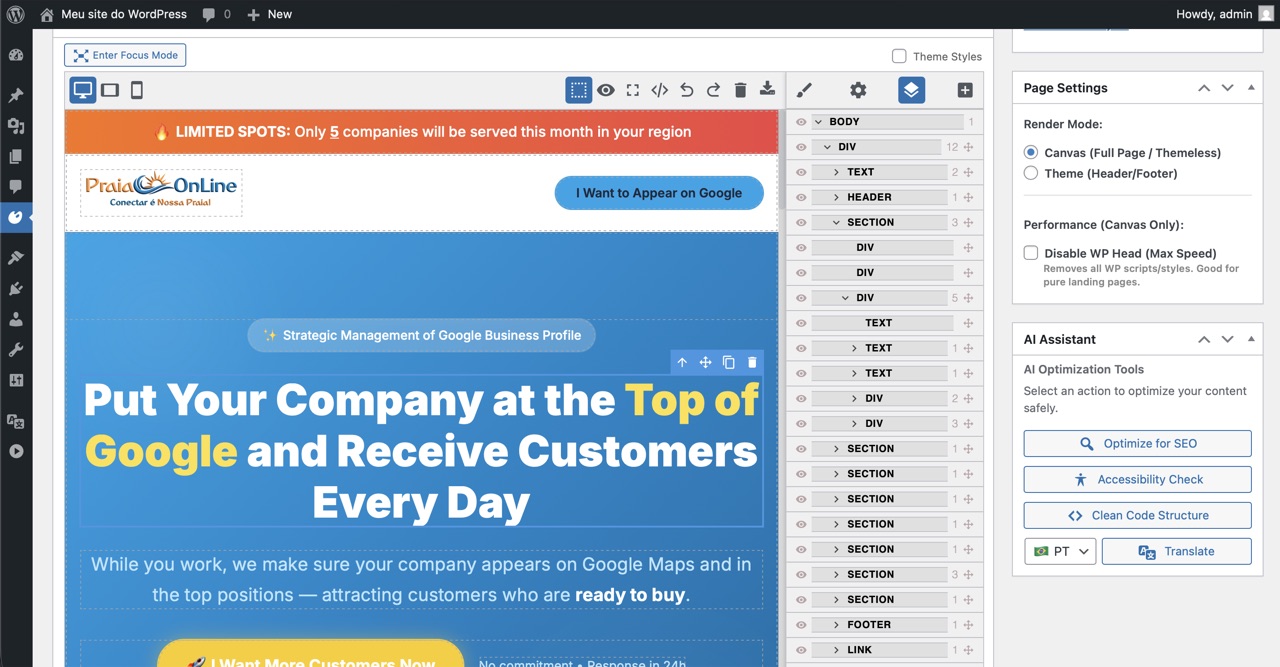
Style Manager — visual CSS controls for changing colors and typography
Style Manager — visually change any CSS property, no stylesheet knowledge needed
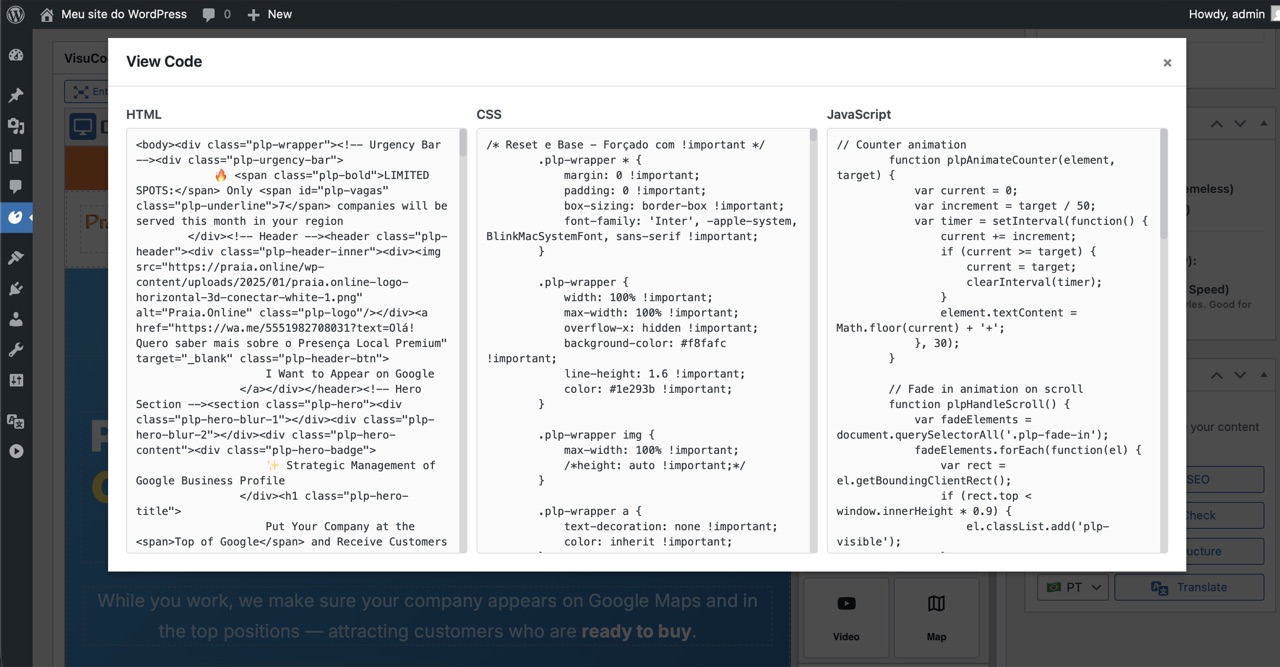
Code View showing separated HTML, CSS and JS layers
Code View — VisuCode automatically separates HTML, CSS & JS into clean layers
Get VisuCode AI

Free to download.
Open source forever.

VisuCode AI is licensed under GPL v2 or later — the same license as WordPress itself. Use it, fork it, build on top of it.

Requirements

  • WordPress 5.8+
  • PHP 7.4+
  • OpenAI API Key (optional — only for AI optimizations)
Common Questions

Frequently Asked Questions

What AI tools can I use to generate code for VisuCode?

Any AI tool that outputs HTML, CSS and/or JavaScript. This includes ChatGPT, Claude, Google Gemini, GitHub Copilot, v0.dev, Bolt.new, and any other code-generating AI or tool. Just copy the raw code it gives you and paste it into VisuCode's Import panel.

Is VisuCode AI a page builder like Elementor or Divi?

No. VisuCode AI is not a page builder — it doesn't generate content from templates or widgets. It is an AI-generated code receiver and visual editor. You bring the code from your preferred AI tool, VisuCode loads it, formats and optimizes it, and lets anyone edit it visually. Your output is clean, portable HTML — not proprietary shortcodes.

Does it require an API key to work?

No. The full import, visual editing, and export workflow works completely without any API key. The AI Assistant optimizations (SEO, Accessibility, Clean Code, Translator) require an OpenAI API key, which you can get from platform.openai.com and configure in VisuCode → Settings.

What does the AI Assistant actually do differently from prompting AI?

Instead of open-ended prompts (which produce unpredictable results), the AI Assistant runs pre-structured, expert-curated commands tested specifically on web page code. Each command — SEO, Accessibility, Clean Code, Translate — is designed by specialists to produce consistent, predictable results on the code layer, without changing your visual design. No prompt engineering. One click.

Can non-technical people use it after the code is imported?

Yes — that's one of the core purposes of VisuCode AI. Once AI-generated code is loaded into the editor, team members with no coding knowledge can click on any text block to edit it, change images, adjust colors via visual controls, reorder sections by dragging, and save. They never need to see or touch the underlying HTML.

How do I embed a VisuCode page into an existing WordPress post?

Use the "VisuCode Content" Gutenberg block. Search for it in the block inserter, add it, and select your page from the dropdown. The HTML renders inline — no iframe, no extra request. Works with any WordPress theme.

Is my code locked into VisuCode?

Not at all. VisuCode stores and outputs clean HTML and CSS. You can export any page as a ZIP archive at any time (index.html + style.css + assets) and use it anywhere — on a static host, another CMS, or as a standalone page. No proprietary markup, no dependencies.

Where can I get support or report a bug?

Open a thread on the WordPress.org support forum or email the team at [email protected].

Get in Touch

Questions, feedback or ideas?

We'd love to hear from you — bug reports, feature requests, or integration ideas.